
简介
Snippets是可以在Chrome DevTools的“源”面板中创建和执行的小脚本。 您可以从任何页面访问和运行它们。 当您运行代码段时,它会从当前打开的页面的上下文执行。
入口
Chrome开发者工具-Sources面板-Snippets面板
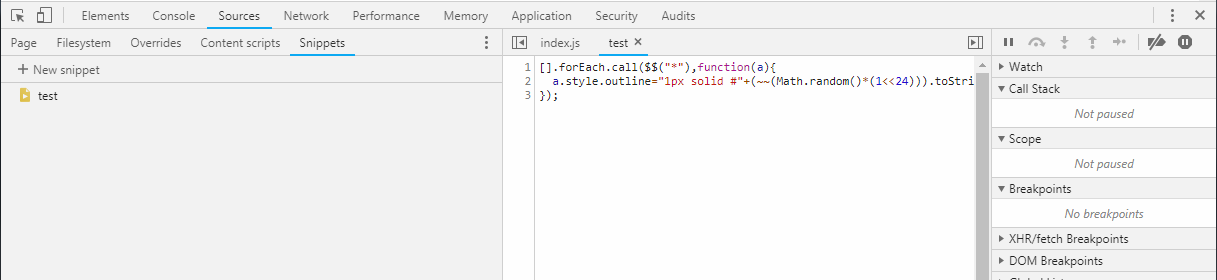
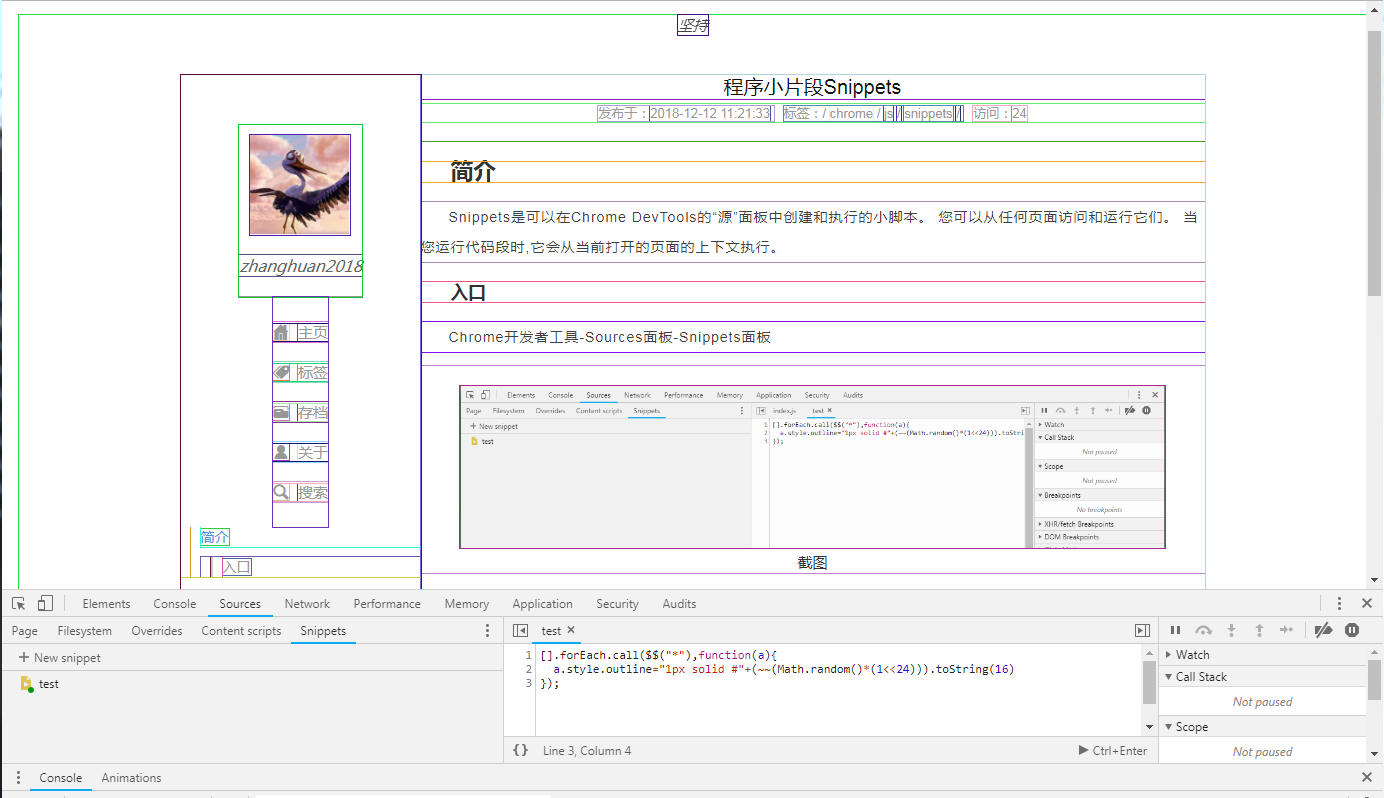
显示边框
显示所有元素的边框,看页面布局非常方便1
2
3[].forEach.call($$("*"),function(a){
a.style.outline="1px solid #"+(~~(Math.random()*(1<<24))).toString(16)
});
allcolors.js
从页面上的元素中使用的计算样式打印所有颜色。 使用样式化的console.log调用来可视化每种颜色。1
2
3
4
5
6
7
8
9
10
11
12
13
14
15
16
17
18
19
20
21
22
23
24
25
26
27
28
29
30
31
32
33
34
35
36
37
38
39
40
41
42
43
44
45
46
47
48
49
50
51
52
53
54
55
56
57
58
59
60
61
62
63
64
65
66
67
68
69
70
71
72
73
74
75
76
77
78
79
80
81
82
83
84
85
86
87
88
89
90
91
92
93
94
95
96
97
98
99
100// allcolors.js
// https://github.com/bgrins/devtools-snippets
// Print out CSS colors used in elements on the page.
(function () {
// Should include colors from elements that have a border color but have a zero width?
var includeBorderColorsWithZeroWidth = false;
var allColors = {};
var props = ["background-color", "color", "border-top-color", "border-right-color", "border-bottom-color", "border-left-color"];
var skipColors = {
"rgb(0, 0, 0)": 1,
"rgba(0, 0, 0, 0)": 1,
"rgb(255, 255, 255)": 1
};
[].forEach.call(document.querySelectorAll("*"), function (node) {
var nodeColors = {};
props.forEach(function (prop) {
var color = window.getComputedStyle(node, null).getPropertyValue(prop),
thisIsABorderProperty = (prop.indexOf("border") != -1),
notBorderZero = thisIsABorderProperty ? window.getComputedStyle(node, null).getPropertyValue(prop.replace("color", "width")) !== "0px" : true,
colorConditionsMet;
if (includeBorderColorsWithZeroWidth) {
colorConditionsMet = color && !skipColors[color];
} else {
colorConditionsMet = color && !skipColors[color] && notBorderZero;
}
if (colorConditionsMet) {
if (!allColors[color]) {
allColors[color] = {
count: 0,
nodes: []
};
}
if (!nodeColors[color]) {
allColors[color].count++;
allColors[color].nodes.push(node);
}
nodeColors[color] = true;
}
});
});
function rgbTextToRgbArray(rgbText) {
return rgbText.replace(/\s/g, "").match(/\d+,\d+,\d+/)[0].split(",").map(function(num) {
return parseInt(num, 10);
});
}
function componentToHex(c) {
var hex = c.toString(16);
return hex.length == 1 ? "0" + hex : hex;
}
function rgbToHex(rgbArray) {
var r = rgbArray[0],
g = rgbArray[1],
b = rgbArray[2];
return "#" + componentToHex(r) + componentToHex(g) + componentToHex(b);
}
var allColorsSorted = [];
for (var i in allColors) {
var rgbArray = rgbTextToRgbArray(i);
var hexValue = rgbToHex(rgbArray);
allColorsSorted.push({
key: i,
value: allColors[i],
hexValue: hexValue
});
}
allColorsSorted = allColorsSorted.sort(function (a, b) {
return b.value.count - a.value.count;
});
var nameStyle = "font-weight:normal;";
var countStyle = "font-weight:bold;";
function colorStyle(color) {
return "background:" + color + ";color:" + color + ";border:1px solid #333;";
};
console.group("Total colors used in elements on the page: " + window.location.href + " are " + allColorsSorted.length);
allColorsSorted.forEach(function (c) {
console.groupCollapsed("%c %c " + c.key + " " + c.hexValue + " %c(" + c.value.count + " times)",
colorStyle(c.key), nameStyle, countStyle);
c.value.nodes.forEach(function (node) {
console.log(node);
});
console.groupEnd();
});
console.groupEnd("All colors used in elements on the page");
})();
查看加载的link和script
1 | //Cache Buster |
console-save.js
从控制台将对象保存为.json文件的简单方法包括一个chrome扩展和一个纯文本。1
2
3
4
5
6
7
8
9
10
11
12
13
14
15
16
17
18
19
20
21
22
23
24
25
26
27
28
29
30(function(console){
console.save = function(data, filename){
if(!data) {
console.error('Console.save: No data')
return;
}
if(!filename) filename = 'console.json'
if(typeof data === "object"){
data = JSON.stringify(data, undefined, 4)
}
var blob = new Blob([data], {type: 'text/json'}),
e = document.createEvent('MouseEvents'),
a = document.createElement('a')
a.download = filename
a.href = window.URL.createObjectURL(blob)
a.dataset.downloadurl = ['text/json', a.download, a.href].join(':')
e.initMouseEvent('click', true, false, window, 0, 0, 0, 0, 0, false, false, false, false, 0, null)
a.dispatchEvent(e)
}
})(console)
/* 测试 */
var data={name:'test'};
console.save(data, [test.json]);
formcontrols.js
在一个不错的表中显示所有html表单元素及其值和类型。 在页面上为每个表单添加一个新表1
2
3
4
5
6
7
8
9
10
11
12
13
14
15
16
17
18
19
20
21
22
23
24
25
26
27
28
29
30// formcontrols.js
// https://github.com/bgrins/devtools-snippets
// Print out forms and their controls
(function() {
var forms = document.querySelectorAll("form");
for (var i = 0, len = forms.length; i < len; i++) {
var tab = [ ];
console.group("HTMLForm quot;" + forms[i].name + "quot;: " + forms[i].action);
console.log("Element:", forms[i], "\nName: "+forms[i].name+"\nMethod: "+forms[i].method.toUpperCase()+"\nAction: "+forms[i].action || "null");
["input", "textarea", "select"].forEach(function (control) {
[].forEach.call(forms[i].querySelectorAll(control), function (node) {
tab.push({
"Element": node,
"Type": node.type,
"Name": node.name,
"Value": node.value,
"Pretty Value": (isNaN(node.value) || node.value === "" ? node.value : parseFloat(node.value))
});
});
});
console.table(tab);
console.groupEnd();
}
})();
log-globals.js
打印全局变量1
2
3
4
5
6
7
8
9
10
11
12
13
14
15
16
17
18
19
20
21
22
23
24
25
26
27
28
29
30
31
32
33/*
log-globals
by Sindre Sorhus
https://github.com/sindresorhus/log-globals
MIT License
*/
(function () {
;
function getIframe() {
var el = document.createElement('iframe');
el.style.display = 'none';
document.body.appendChild(el);
var win = el.contentWindow;
document.body.removeChild(el);
return win;
}
function detectGlobals() {
var iframe = getIframe();
var ret = Object.create(null);
for (var prop in window) {
if (!(prop in iframe)) {
ret[prop] = window[prop];
}
}
return ret;
}
console.log(detectGlobals());
})();
获取基本的运行时间信息
1 | var timing = performance.timing; |
资料网站
https://github.com/bgrins/devtools-snippets
https://github.com/sindresorhus/log-globals